Key points
- Use "number of people ÷ registration time" to calculate how many people need to be processed per minute, then decide how many lines to open.
- Do not place the registration desk directly at the entrance; move it back 3–5 metres to avoid blocking the entry flow.
- Ensure there is somewhere for people to go after registering (welcome area, photo area, drinks area) to prevent crowding.
- Signage should be visible "while people are still in the corridor," not only when they reach the door.
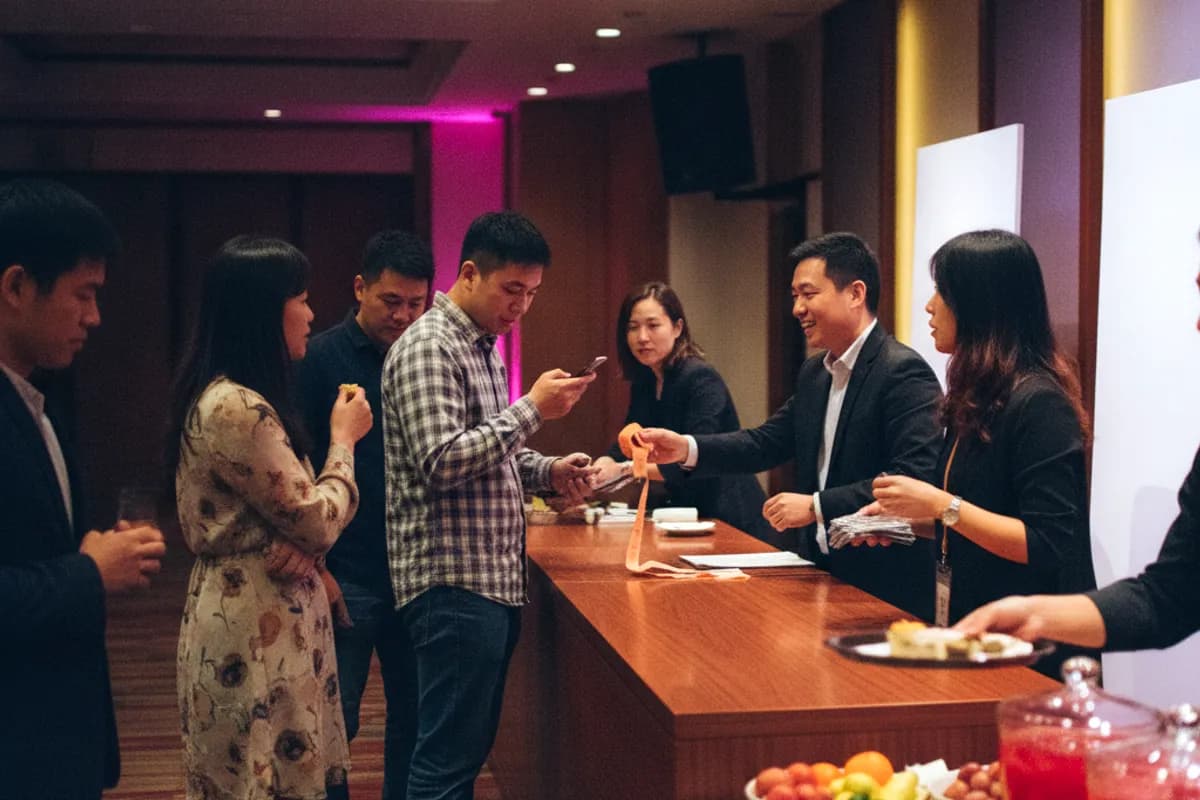
The first impression guests have of an event is formed at the registration desk. Waiting in line for ten minutes, unable to find their table, or not knowing where to go—all these occur before the event officially starts.
Start with the Numbers
People to process per minute = Total number of people ÷ Registration time (minutes)
For example, with 150 people registering from 18:00 to 18:30: 150 ÷ 30 = 5 people per minute.
A skilled registration staff member takes about 15–25 seconds to process one guest (check name, assign table, distribute raffle tickets), which equates to 2.5–4 people per minute.
Therefore, an event with 150 people requires at least 2 lines, but to be safe, open 3 lines. Guests will not arrive evenly—half will come in the last 10 minutes, so plan for peak times, not averages.
| Number of People | Registration Time | Suggested Number of Lines |
|---|---|---|
| Under 50 | 20 minutes | 1 line |
| 50–120 | 30 minutes | 2 lines |
| 120–250 | 30 minutes | 3 lines |
| Over 250 | 40 minutes | 4 or more lines, consider self-service registration |
How to Streamline
The way you streamline determines whether guests need to "find" which line to join. Effective streamlining is "obvious at a glance":
- By Department (corporate events): Signs reading "Sales/Admin" or "A–M/N–Z".
- By Table Number Range: "Tables 1–8" or "Tables 9–15".
- By Guest Type (weddings): "Groom's Guests/Bride's Guests".
- By Surname Stroke Count or Phonetic: Most effective when there are many people and no departmental division.
Avoid using "this side/that side" which requires verbal direction on-site; when it gets busy, no one will be directing.
Placement
This is where mistakes are most common.
- Move back 3–5 metres: If the registration desk is right at the entrance, those queuing will block incoming guests.
- Position at the side against a wall, not across the middle of the passage: Separate the entry/exit flow from the registration queue.
- Queue direction should follow the flow of people: Ensure those queuing have their backs to the entrance, not facing each other and causing blockages.
- Ensure power outlets are near the registration desk: Registration systems, tablets, and photo equipment need power; check this during site visits.
Where to Go After Registering
If this is overlooked, the area next to the registration desk will become a wall of people. Guests need a clear destination after registering:
- Welcome/Photo Area: With a backdrop or scenery for photos, this is the best buffer.
- Drinks/Snack Area: Gives people something to do and somewhere to stand.
- Seating Area: If the banquet hall is open, guiding guests to their seats is most effective.
If there are photo services or QR code interactions, the 20–30 minutes after registration is the best time to use them—guests are free, in the mood, and haven't started eating.
Signage
The principle is simple: It should be visible while people are still in the corridor.
- Elevator/Lobby Entrance: First sign, stating "XX Year-End Party →".
- Corridor Corner: Second sign, confirming the direction is correct.
- Banquet Hall Entrance: Third sign, indicating registration streamlining.
- Text should be large (visible from 5 metres away) and include arrows.
Signage is particularly important when the hotel hosts multiple events simultaneously. During site visits, ask if the venue has electronic boards to display your event name.
Three Common Mistakes
Mistake One: Only one paper list. Two lines sharing one list effectively means one line. Each line should have its own complete list, or use a system that allows multiple simultaneous checks.
Mistake Two: Raffle tickets distributed at registration and require filling out. Filling in details takes over 30 seconds, causing immediate queues. Solution: Pre-print raffle tickets with names, or use seat numbers and employee IDs directly, distributing without filling in at registration.
Mistake Three: No one handling "exceptions". Unexpected guests, name errors, accompanying family members—these occur at every event and take 1–2 minutes to resolve. Have an "exception handler" on standby to pull these guests out of the queue for separate processing, preventing main line blockages.
Staffing
| Role | Number (for 150 people event) | Responsibilities |
|---|---|---|
| Registration Staff | 2–3 | Check lists, assign tables, distribute raffle tickets |
| Guides | 1–2 | Direct flow at entrance, guide directions |
| Exception Handling | 1 | Unregistered guests, data errors, accompanying family |
| Welcome/Photo | 1–2 | Greet, photograph, lead to buffer area |
Checklist
- Calculated people per minute, decided number of lines
- Streamlining method is clear at a glance, signs prepared
- Registration desk moved back, not blocking flow
- Each line has its own complete list
- Power outlets available near registration desk
- Raffle tickets do not require on-site filling
- Dedicated person for handling exceptions
- Post-registration destinations planned (welcome area/photo area/seating)
- Three-stage signage in place
→ View the complete event day rundown → Further reading: Venue Site Visit Checklist
Figures come from events we delivered and public sources. Actual terms vary by venue and date — always confirm with the venue.